
Turn your CI/CD into a security checkpoint
Whether you want your existing pipeline assessed, your DevOps converted to DevSecOps, or a secure pipeline built from scratch, we do it with you.
Choosing the right tools, wiring in the checks, and setting the gates that fit how your team works.
Choosing the right tools, wiring in the checks, and setting the gates that fit how your team works.




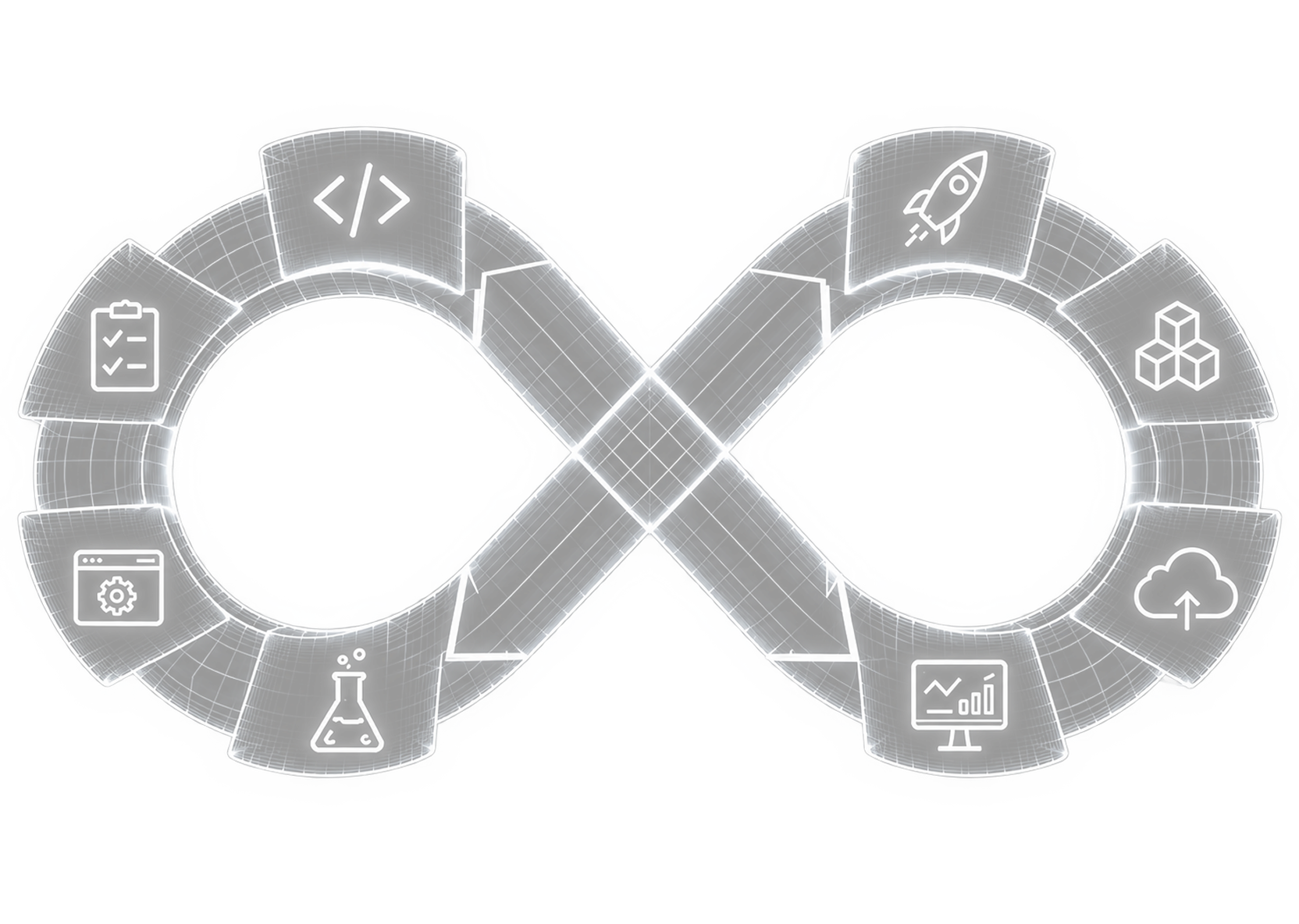









The question that matters
You know your pipeline should have security built in. Do you have the time and the specialists to design it right?
WHY MOST DEVSECOPS FALL SHORT
A pipeline full of tools isn't the same as a secure pipeline
Buying scanners and bolting them onto your pipeline creates noise, not security. Tools need to be the right ones, tuned to your stack, wired at the right stages, with gates your team will accept.
We design that, or build it from scratch.
We design that, or build it from scratch.
Most DevSecOps Vendors
Security scans bolted onto existing pipelines
Manual gates that block releases
Tool output with no context or priority
High false positives, developer fatigue
Security tested late in development
Findings dumped on developers
Payatu
AI-native and research-led: security integrated into the developer workflow

Automated controls with risk-based decisions
Contextualised findings with remediation guidance
Tuned detection with actionable results
Security testing from the first commit
Developer enablement and ownership
What we Build
in your pipeline
We wire security into every stage of your CI/CD, tuned to catch real issues without slowing your team.
IDE & pre-commit
SAST
SCA & SBOM
DAST
Secrets scanning
Container & Kubernetes
IaC (Terraform, CFN)
Risk-based gates
IDE & pre-commit
SAST
SCA & SBOM
DAST
Secrets scanning
Container & Kubernetes
IaC (Terraform, CFN)
Risk-based gates
In the developer's flow
IDE & pre-commit checks
Static code analysis (SAST)
Secrets detection
Pull-request automation

In the developer's flow
In the pipeline & infra
Dependency & supply chain (SCA, SBOM)
Infrastructure as Code (Terraform, K8s)
Container & Kubernetes security
Risk-based build gates

In the pipeline & infra
In staging & beyond
Dynamic testing (DAST) in staging
Security regression tests
Runtime & config monitoring
Developer & executive reporting

In staging & beyond
In the developer's flow
IDE & pre-commit checks
Static code analysis (SAST)
Secrets detection
Pull-request automation
Data & secrets
Dependency & supply chain (SCA, SBOM)
Infrastructure as Code (Terraform, K8s)
Container & Kubernetes security
Risk-based build gates
Dependencies & design
Dynamic testing (DAST) in staging
Security regression tests
Runtime & config monitoring
Developer & executive reporting
Process
How it works
Simple, step by step, from first look to a pipeline your team owns.
Understand your pipeline
We learn your stack, your CI/CD, and how your team ships today.
01
Find the gaps
We check your pipeline for what's missing and where security is being skipped.
02
Wire them in
We add the checks at the right stages, tuned to catch real issues without the noise.
04
Pick the right tools
We test and compare tools for your stack, open-source or commercial, and recommend the best fit.
03
Set the gates
We agree what blocks a build and what just warns, so security fits how your team works.
05
Hand over & support
Your team owns a working pipeline, with guidance and support as it grows.
06
Process
How it works
Simple, step by step, from first look to a pipeline your team owns.
Understand your pipeline
We learn your stack, your CI/CD, and how your team ships today.
01
Find the gaps
We check your pipeline for what's missing and where security is being skipped.
02
Pick the right tools
We test and compare tools for your stack, open-source or commercial, and recommend the best fit.
03
Wire them in
We add the checks at the right stages, tuned to catch real issues without the noise.
04
Set the gates
We agree what blocks a build and what just warns, so security fits how your team works.
05
Hand over & support
Your team owns a working pipeline, with guidance and support as it grows.
06
PROCESS
How it works
Simple, step by step, from first look to a pipeline your team owns.
Understand your pipeline
We learn your stack, your CI/CD, and how your team ships today.
01
Find the gaps
We check your pipeline for what's missing and where security is being skipped.
02
Pick the right tools
We test and compare tools for your stack, open-source or commercial, and recommend the best fit.
03
Wire them in
We add the checks at the right stages, tuned to catch real issues without the noise.
04
Set the gates
We agree what blocks a build and what just warns, so security fits how your team works.
05
Hand over & support
Your team owns a working pipeline, with guidance and support as it grows.
06


Testimonials
What development teams say about working with us




Payatu's focus on in-depth defence, quality, and proactive approach to all their services were precisely what our fast-growing publicly listed company needed.
Payatu's Services have helped us in ensuring that not only do we exceed strict compliance standards, but also ensure that security is not just a tick box exercise in our organisation. We have been able to make security an integral part of...
Payatu's Services have helped us in ensuring that not only do we exceed strict compliance standards, but also ensure that security is not just a tick box exercise in our organisation. We have been able to make security an integral part of...

Payatu delivered a 360-degree penetration testing exercise across our web applications and internal network. Their structured, methodical approach and deep technical understanding were evident throughout the engagement. They didn’t just give us a list of vulnerabilities, they provided actionable insights that helped to improve our security posture. The engagement was constructive.
WHY PAYATU
Why development teams pick us
We integrate security into how developers actually work, not bolt scanners onto your pipeline. So it gets adopted, not bypassed.

OSCP, OSCE, OSWE, GWAPT & GXPN


ISO 17025 accredited · CERT-In empanelled


Founders of Nullcon & hardwear.io

Across Jenkins, GitLab CI, GitHub Actions & Azure DevOps

AWS DevOps Engineer & Kubernetes Security Specialist

Developers and security engineers, not just scanners








What you get
A pipeline that's secure, and stays out of the way.
A secure pipeline
Security checks wired into your CI/CD at the right stages, tuned for your stack.
Fixes your team can use
Clear guidance and secure defaults, so issues get fixed, not just flagged.

Fewer false alarms
Checks tuned so developers see real issues, not a wall of noise they ignore.
Something you own
A working pipeline your team can run and grow, plus support as you scale.


Want to get your DevOps secured?
Talk to a security researcher and discuss the security posture of your company


Thank you! Your submission has been received!
Oops! Something went wrong while submitting the form.