
Active Directory Enumeration using ADmodule



.png)


Key Takeaways
- ADmodule helps enumerate Active Directory environments.
- It can uncover users, groups, computers, GPOs, and permissions.
- Enumeration reveals privilege relationships and potential attack paths.
- Better visibility into AD supports deeper security assessment.
An active directory allows network administrators to manage domains, users, and objects in a respective network. Now, as the network grows, the AD provides a way to organize large number of users into those logical groups and subgroup offering access control to each level.
Active Directory enumeration, on the other hand, is a process that helps extracting information from the AD.
In this blog, you will understand everything about the active directory and the services control. You will also learn about active directory enumeration using ADmodule.
What is Active Directory?
Active Directory (AD) is Microsoft’s proprietary directory service that runs on Windows Server. AD allows administrators to manage permissions and access network resources.
In this, the data is stored as objects, where an object is a single element (such as an application or a user group) or a device (such as a printer). The main role of the AD is Domain Service, which keeps direct information and helps in handling the interaction of the user and domain.
#Methodology
It’s a simple, methodical assessment that you can conduct to access the security of your business’s Active Directory. It can assist in quantifying, identifying, and minimizing the risks that are affecting your AD. Let’s now discuss various phases of directory enumeration:
First Phase of Active Directory Enumeration:
Important Active Directory components
Domain: The domain is foundational for Active Directory. In all versions of Windows, the domain is the key administrative component that most administrators deal with day in and day out.
Object: An object is a single element, such as a user, group, application, or a device such as a printer, as mentioned before
Tree: A tree is a group of domains with the same root DC.
Forest: The forest is the highest level of the organization hierarchy. It is composed of a group of trees; these trees contain domains.
Active Directory Services
Domain Services: Stores centralized data and manage communication between users and domains.
Certificate Services: Manage secure certifications
Lightweight Directory Services: Support directory-enabled applications using (LDAP)
Directory Federation Services: Provides Single Sign-On (SSO)
Rights Management: Protects copyrighted information
DNS Service: Used to resolve domain names for internal users
What is the Most Important Phase in the AD Security Assessment Enumeration?
There is a quote that says “More enumeration = More impact “, Our goal is to get as much information as we can to get the highest impact and simulate adversaries’ attacks.
Gathering Domain information
In this blog we will use ADmodule because it’s signed by Microsoft and won’t be flagged as a malicious module.
Get Current Domain: Get-ADDomain
Get Other Domain: Get-ADDomain -Identity blackhole.local
Screenshots show the current domain objects that we will need in some attacks.
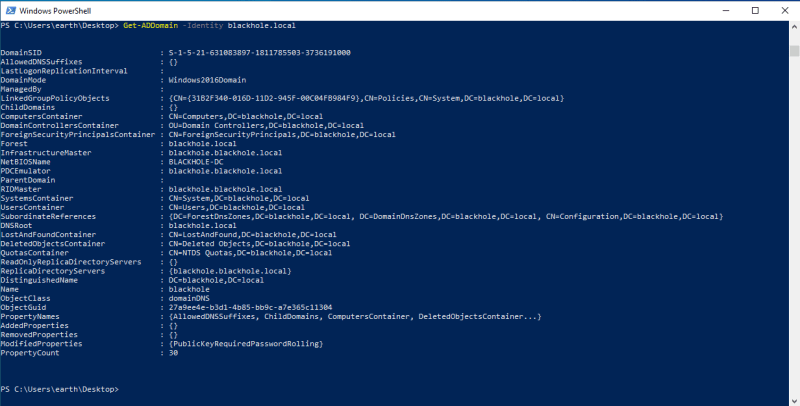
What if I don’t want all that information and I want to filter it?
For example, let’s use it on SID: Get-ADDomain | Select DomainSID

Groups Enumeration
Get all groups names: Get-ADGroup -Filter * | select Name [Using select her to focus on the group name because the output of the command will get a lot of information and we just need group names]
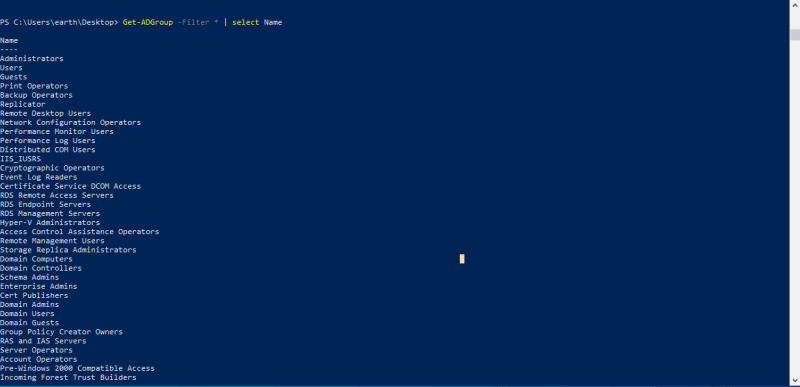
Get groups properties: Get-ADGroup –Filter * -Properties *
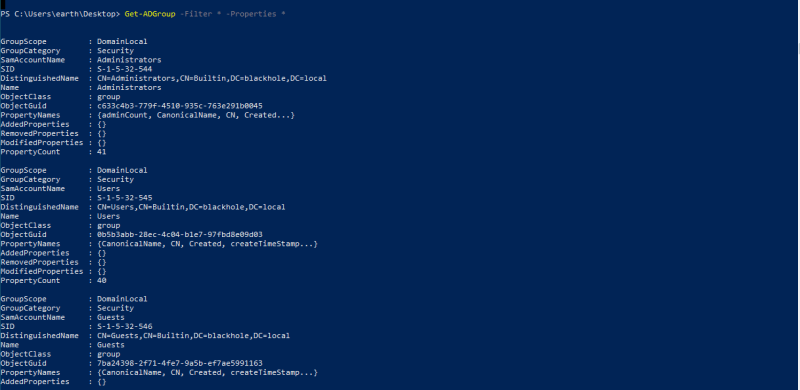
Get a specific group: Get-ADGroup -Filter ‘Name -like “Administrators“‘
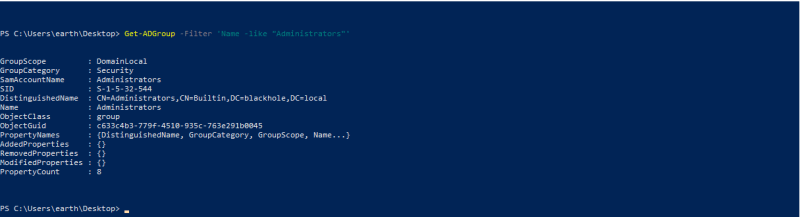
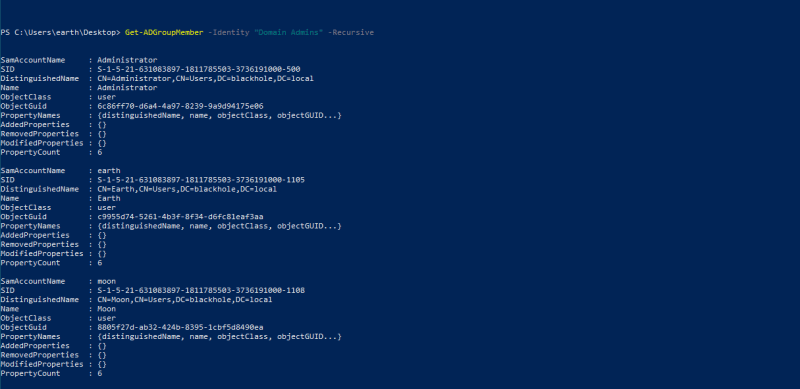
To Get members of specific group: Get-ADGroupMember -Identity “Domain Admins” -Recursive
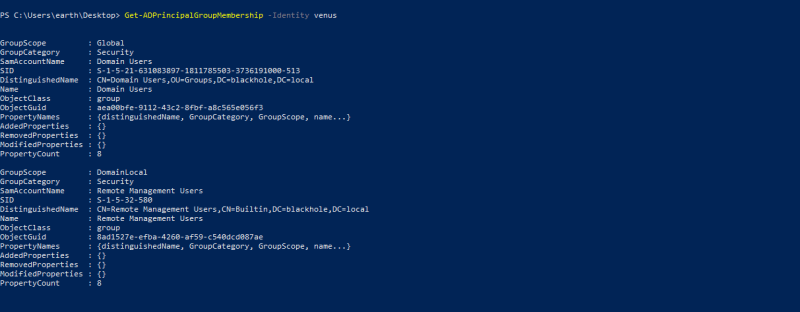
To get groups membership for a user: Get-ADPrincipalGroupMembership -Identity venus
Group policy
For group policy enumeration we will use a built-in module called GroupPolicy.
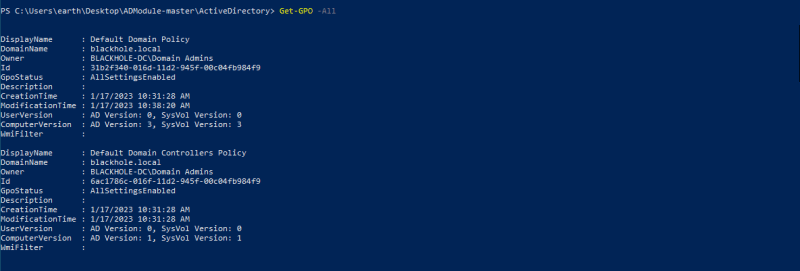
Listing all GPOs: Get-GPO -All
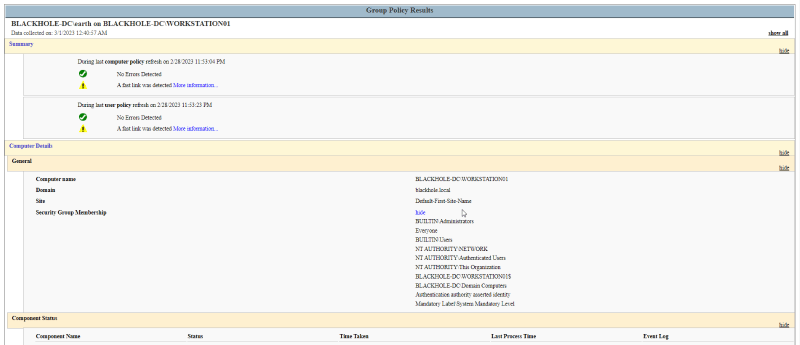
Generating report of GPOs policies: Get-GPResultantSetOfPolicy -ReportType Html -Path C:\Users\earth\Desktop\r.html

This is how the report looks like:
Users
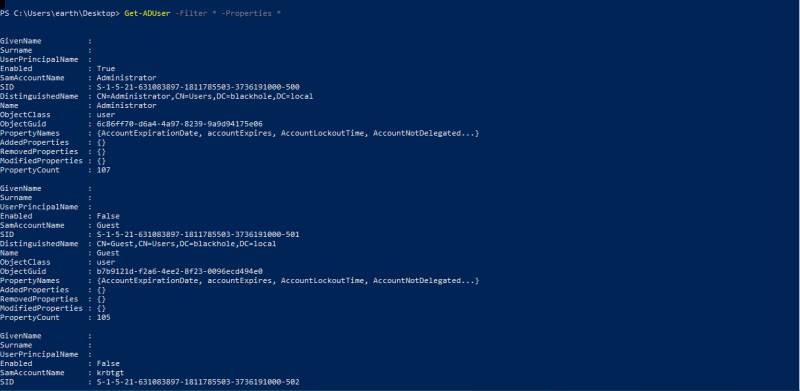
To get all users in the domain: Get-ADUser –Filter * -Properties *
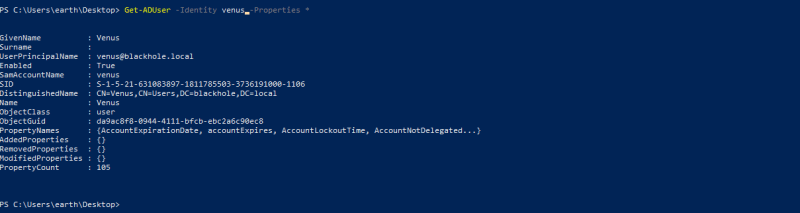
To get a specific user: Get-ADUser -Identity <NAME> -Properties *
To get specific property like pwdlastset for password changing: Get-ADUser -Filter * -Properties * | select name,@{expression={[datetime]::fromFileTime($_.pwdlastset)}}
Computers
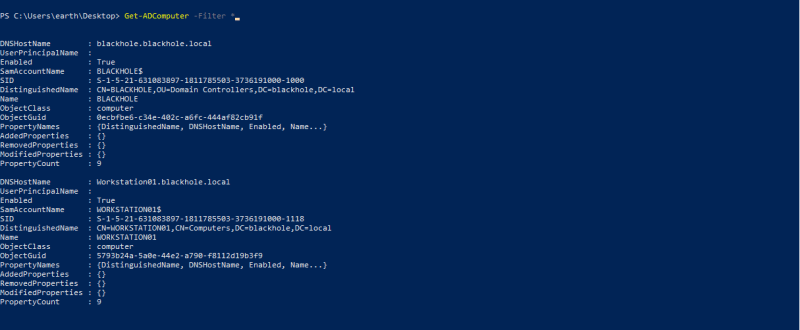
To get the computer account: Get-ADComputer -Filter *
OUs
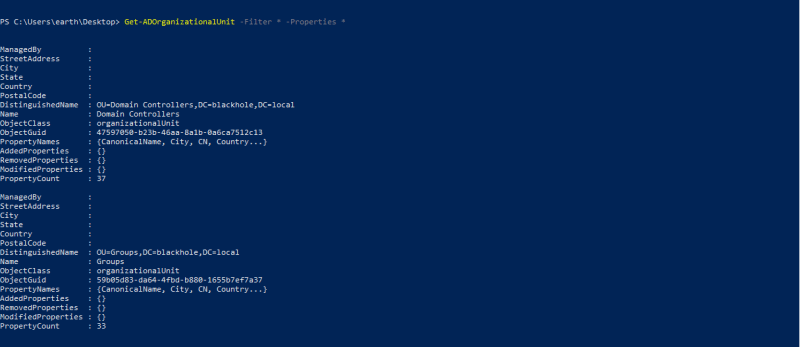
Organizational Units (OUs): In an Active Directory Domain Services (AD DS), managed domain lets you logically group objects such as user accounts, service accounts, or computer accounts. You can then assign administrators to specific OUs and apply group policy to enforce targeted configuration settings.
List OUs for current domain: Get-ADOrganizationalUnit -Filter * -Properties *
ACLs
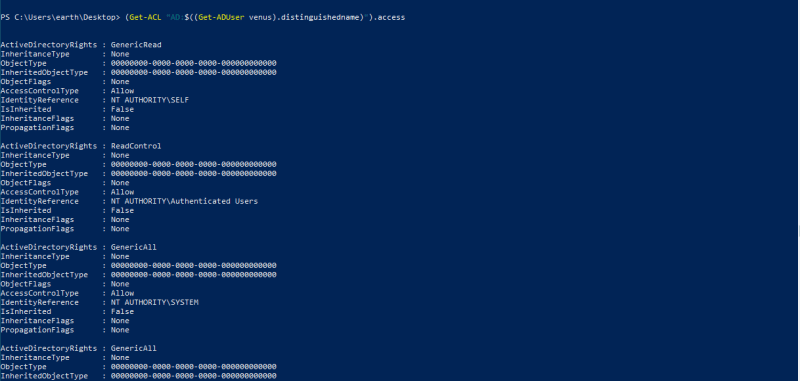
ACL: In an ActiveDirectory network, not all users or computers would require access to all the objects and files in the network. This limitation of access is for security reasons, and critical resources could be misused in case a user in the environment turns rogue, or a computer is breached. This is where an access control list (ACL) comes into play.
To get all ACLs for a user: (Get-ACL “AD:$((Get-ADUser venus).distinguishedname)”).access
Conclusion
Today you won’t find any company that doesn’t use Active Directory and day to day environment gets more complex, through this blog as a system administrator or as security consultant you will be able to perform Active Directory enumeration.
Suggested Read: Active Directory Enumeration without using External scripts


Keep Reading
.png)




We break browsers before someone else does
This is the default text value

